How to create a Google Play developer account
Step-by-step guide to opening your Google Play developer account.
Updated April 6, 2022
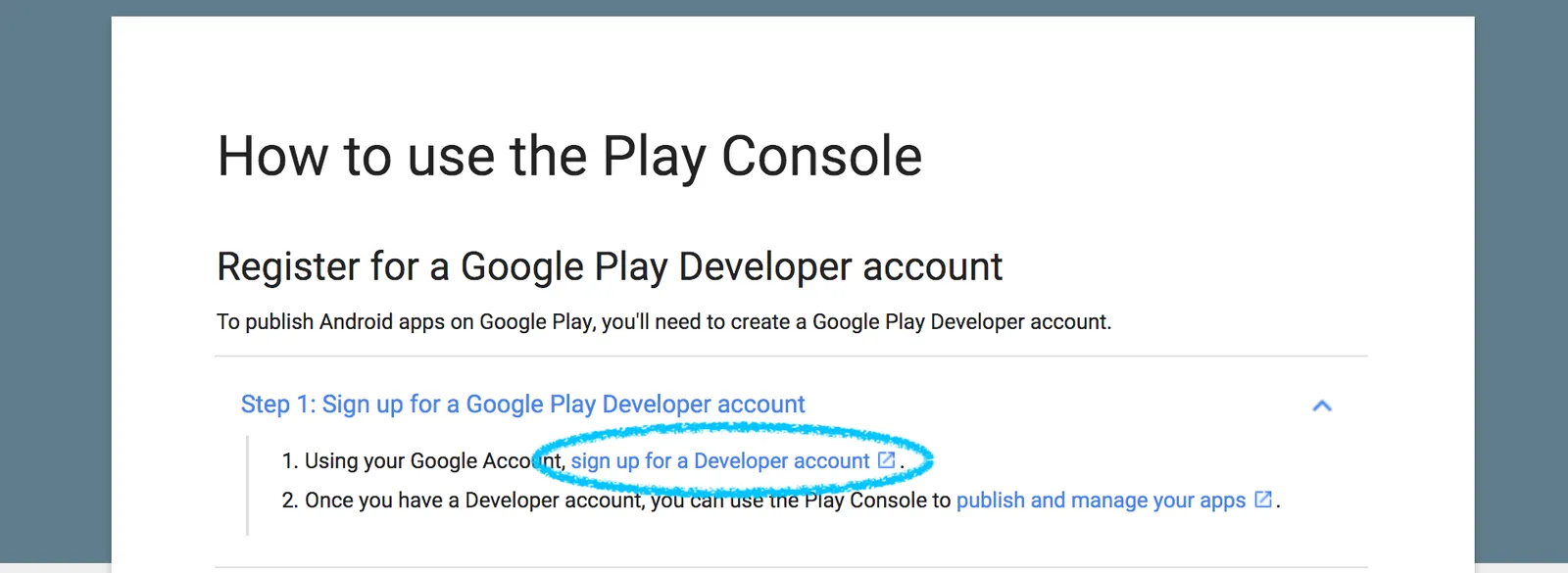
A Google Play developer account lets you publish your app on Google Play. Google requires it to be your own account, which means you keep control of the app and your business’s name appears on the listing.
- 1
- 2
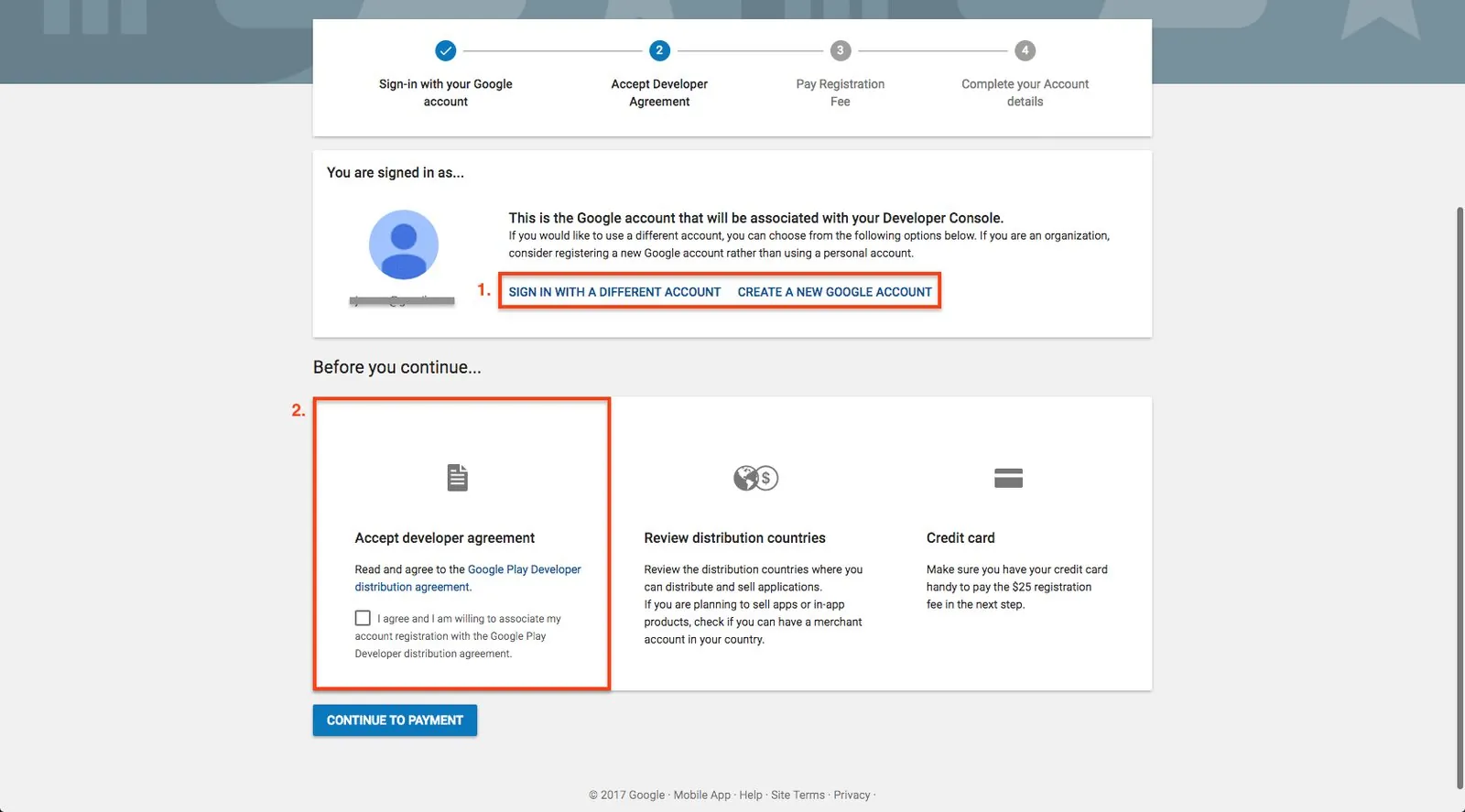
Check the Google account you’re using
The email shown is linked to your developer account and receives all updates about your app. For a business app, use a business email rather than a personal one.
- 3
Accept the agreement
Read Google’s Developer Distribution Agreement, tick the box and click Continue to payment.
- 4
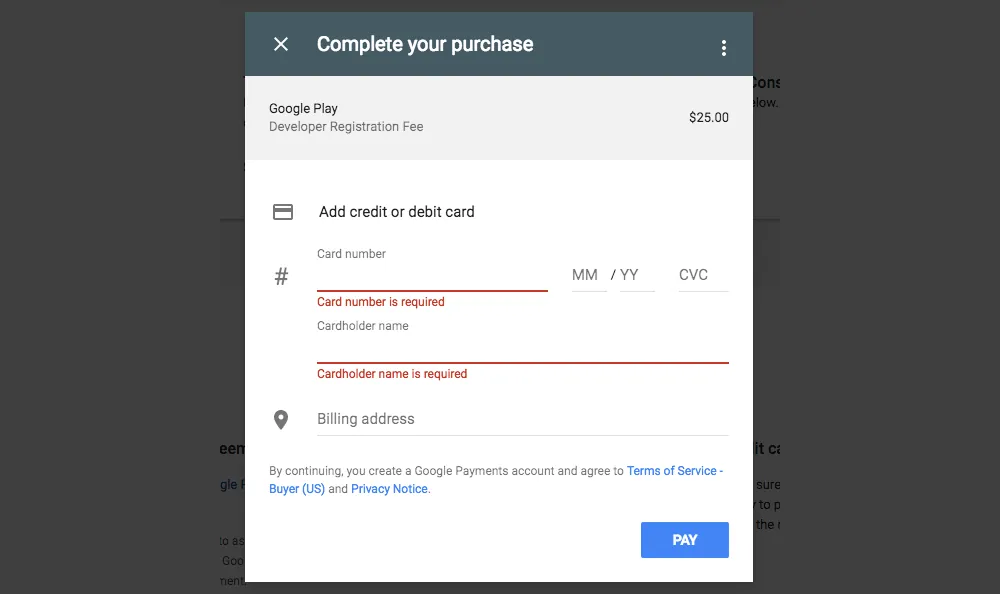
Pay the registration fee
Enter your card details to pay the one-time USD 25 fee.

- 5
Complete your account details
Fill in your developer name and contact details.
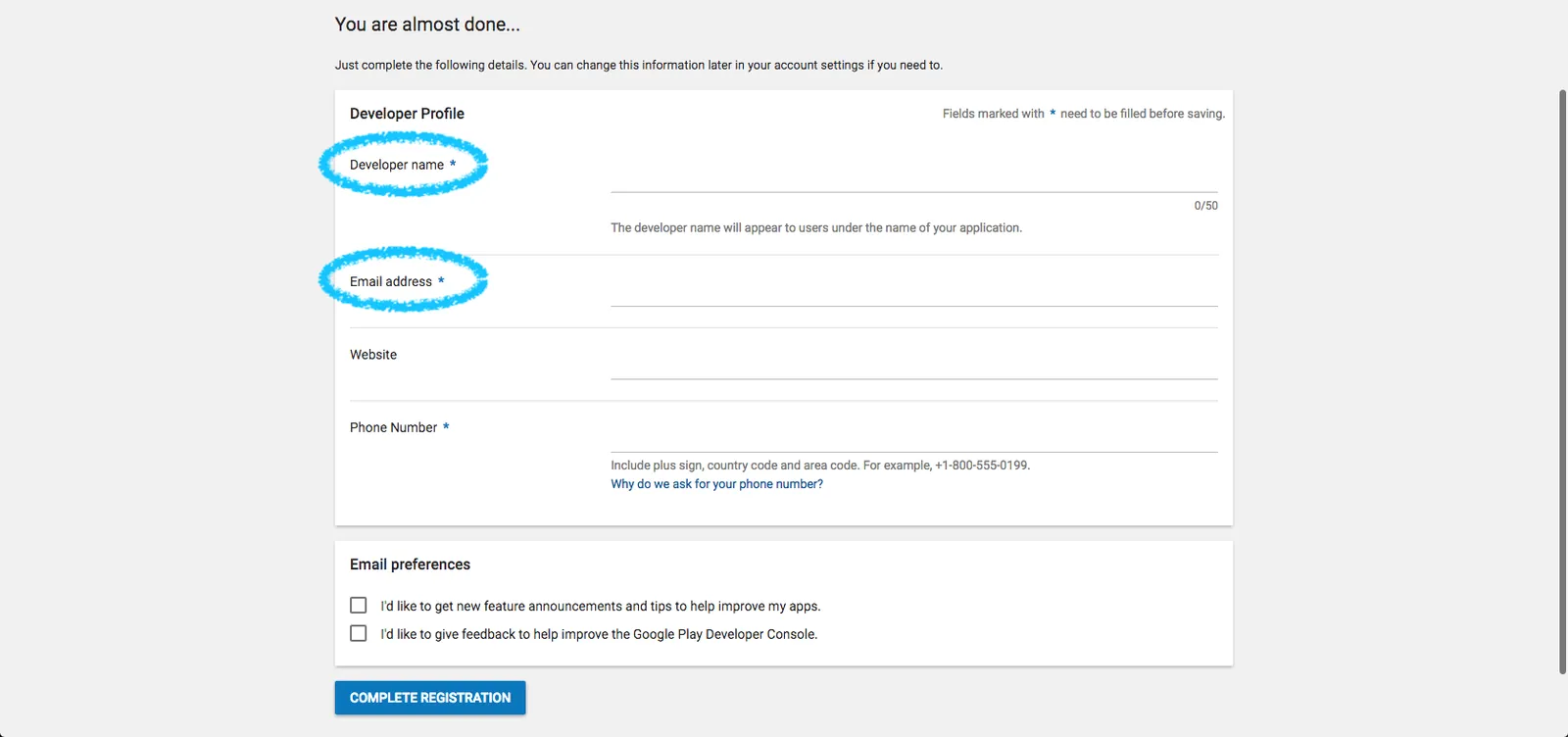
Don’t use our publishing email as your email address, or any version of our company name as your developer name.
Google can take up to 48 hours to process your payment. We can’t publish your app until it’s processed.
Next, add our publishing team to your account.
Tip: the USD 25 fee is a one-time charge, and you can publish as many apps for your business as you like from the same account, as long as they follow Google’s terms. Google may change the price at any time.
Still need help?
Our team is happy to walk you through it.