How to link MobAppCreator to your Google Play account
Invite our publishing team so we can publish your app for you.
Updated April 6, 2022
Once you have a Google Play developer account, invite us so we can publish your Android app on your behalf.
- 1
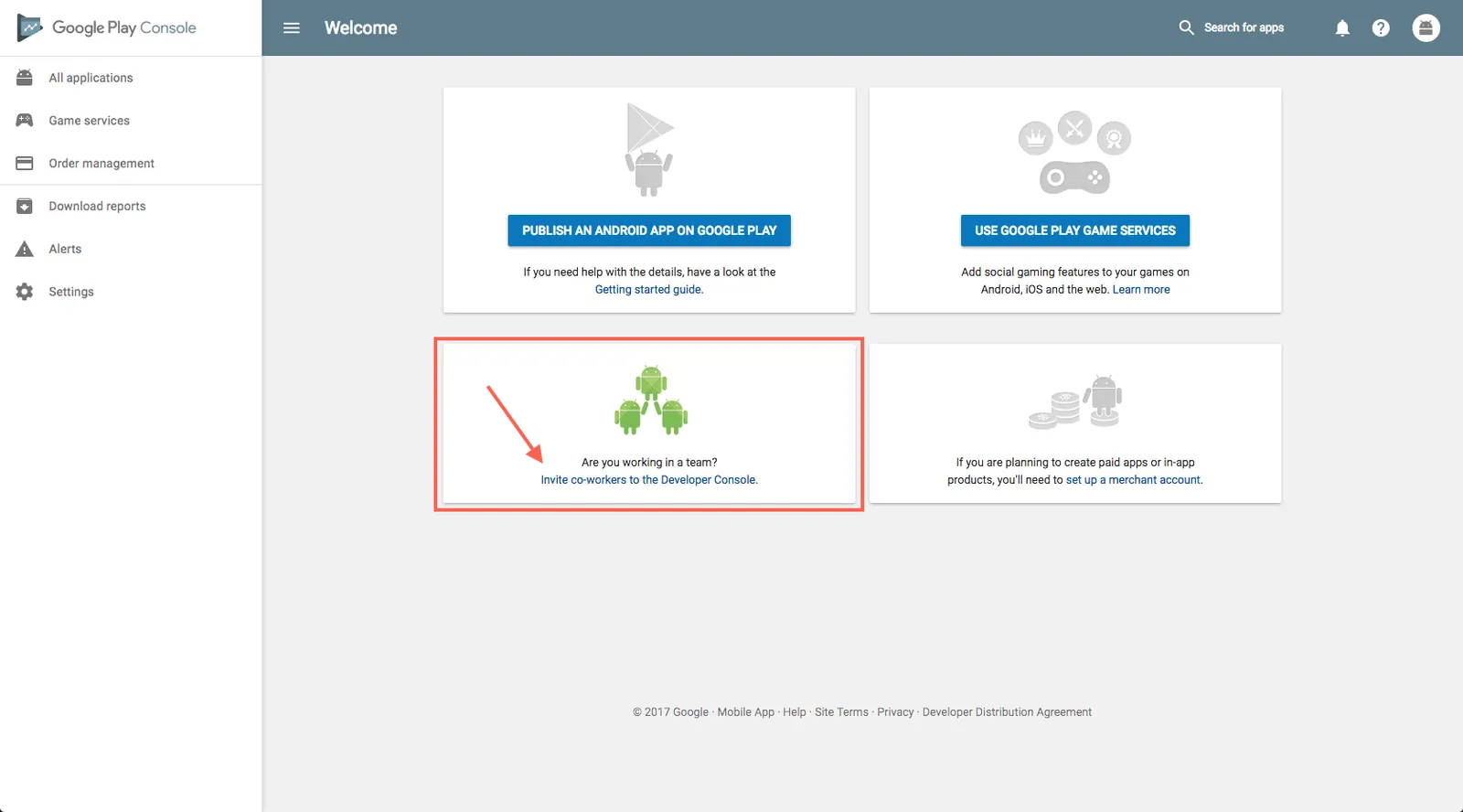
Open user management
Sign in to your Google Play Console and click Invite co-workers to the Developer Console. If you already have apps, go to Users and permissions in the left menu instead.
- 2
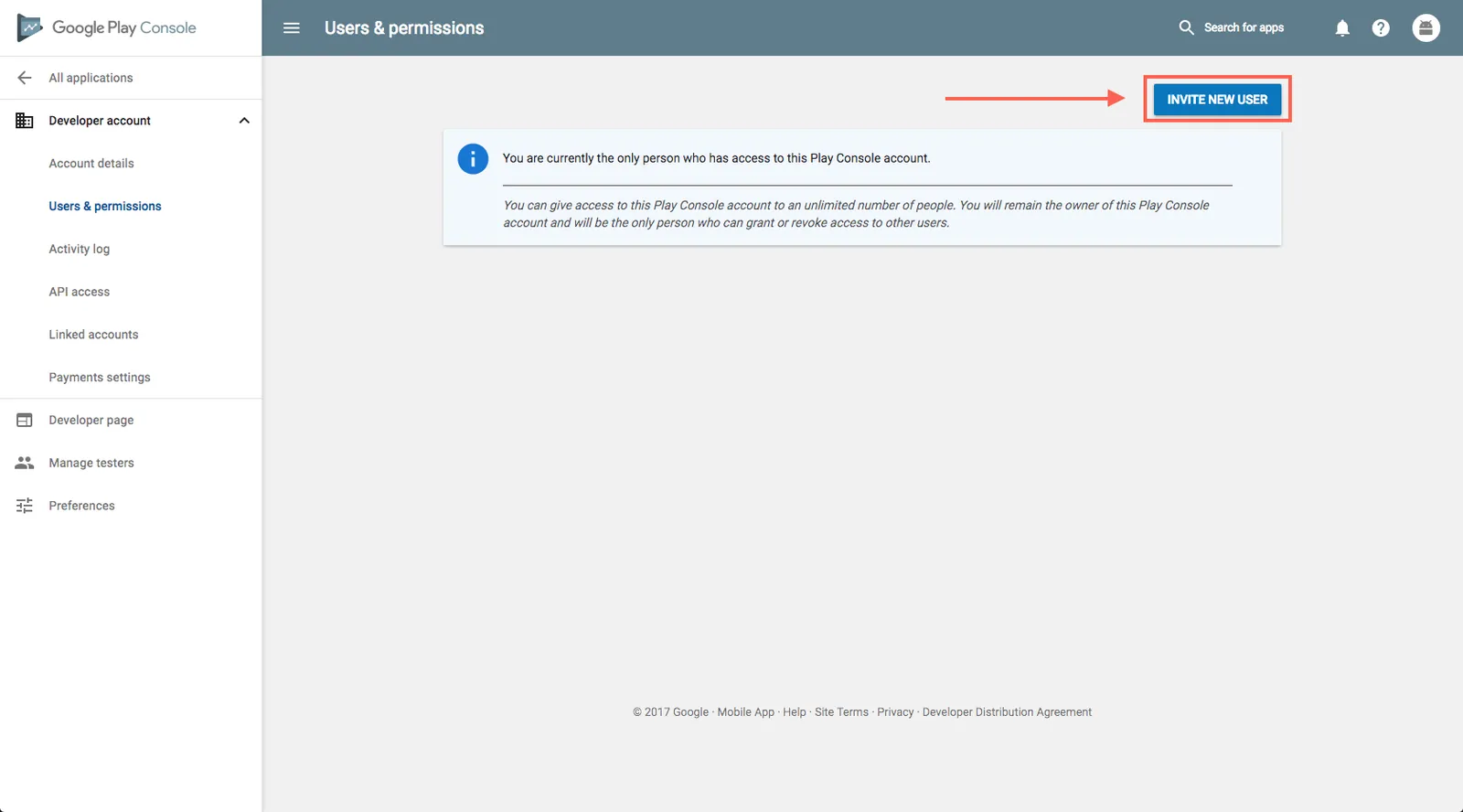
Invite a new user
Click Invite new users.
- 3
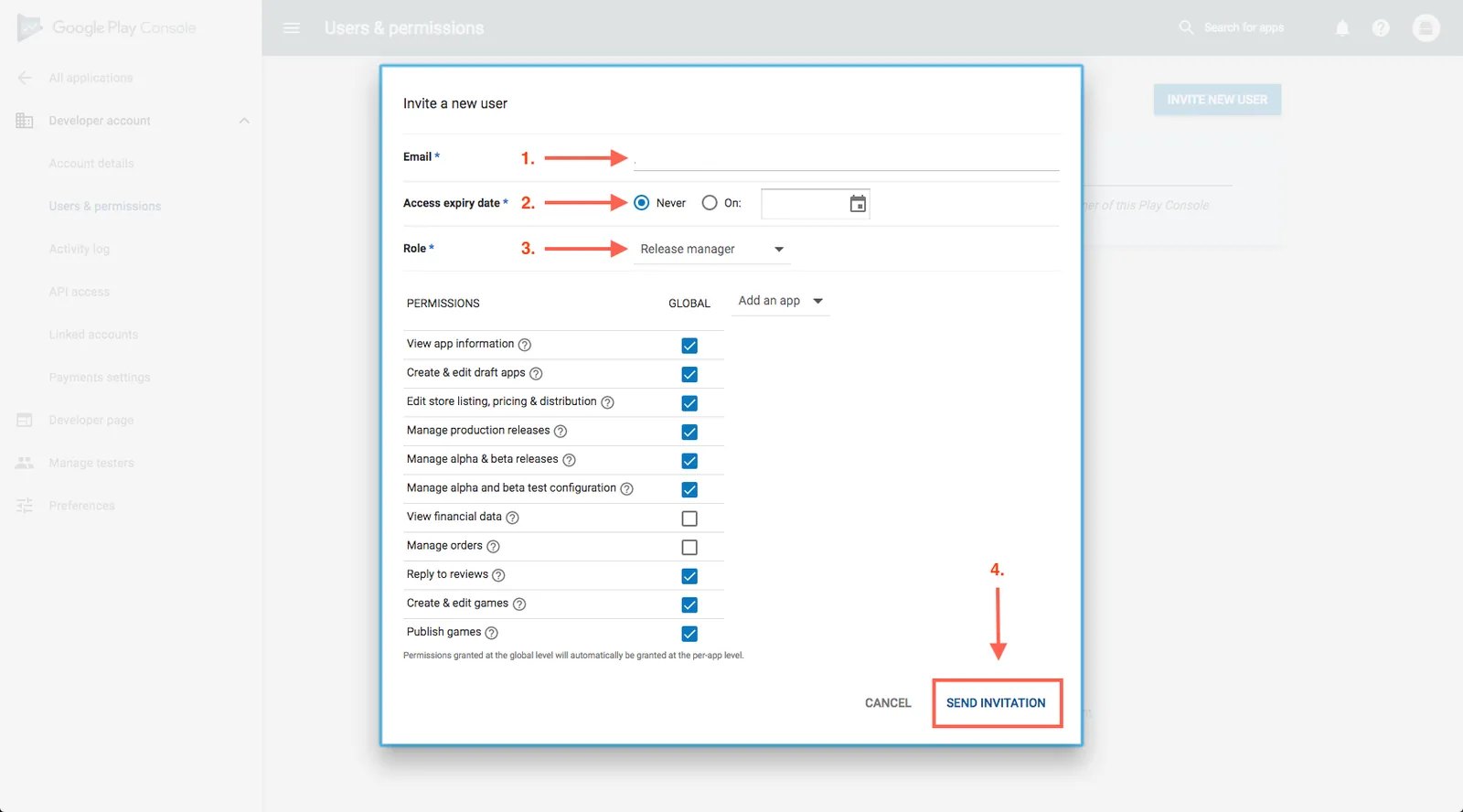
Enter our details
Email: googleplay@mobappcreator.com. Set access expiry to Never, so we can publish updates later. Choose the Admin role, then click Send invitation.
- 4
Add your developer name in the App Dashboard
When you’re ready to publish, enter your Google developer name in the Android Specific section of your Publishing Info page. We use it to find your invitation.
Still need help?
Our team is happy to walk you through it.