Finding your Google Play account name and developer URL
Where to find your Google Play account details.
Updated April 6, 2022
Your developer account name is the name you gave Google to show on the Play Store. Your developer URL takes you straight to your Google Play Console.
- 1
Sign in
Open play.google.com/console and sign in.
- 2
Find your account name
Your developer account name appears in the account menu at the top of the Console.
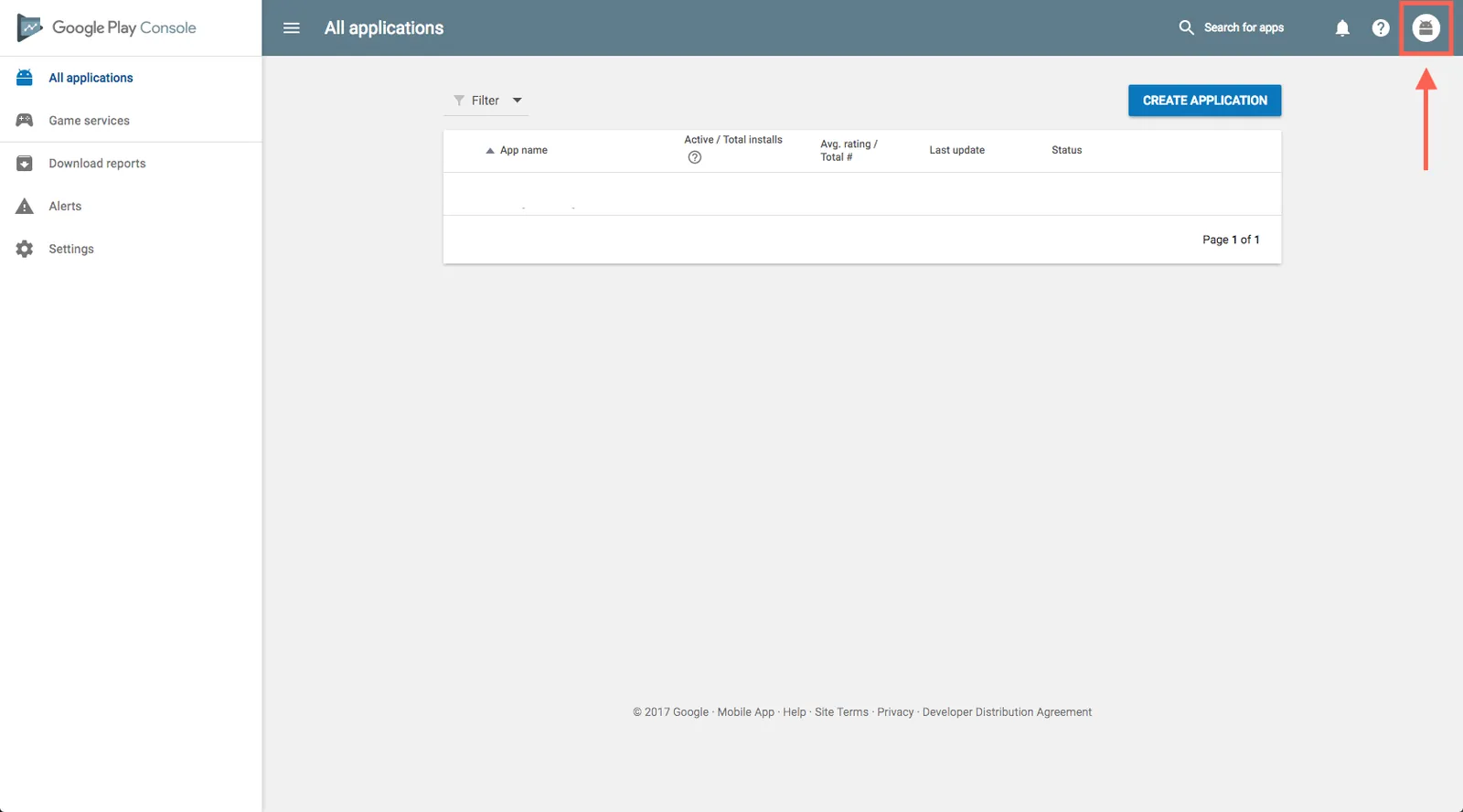
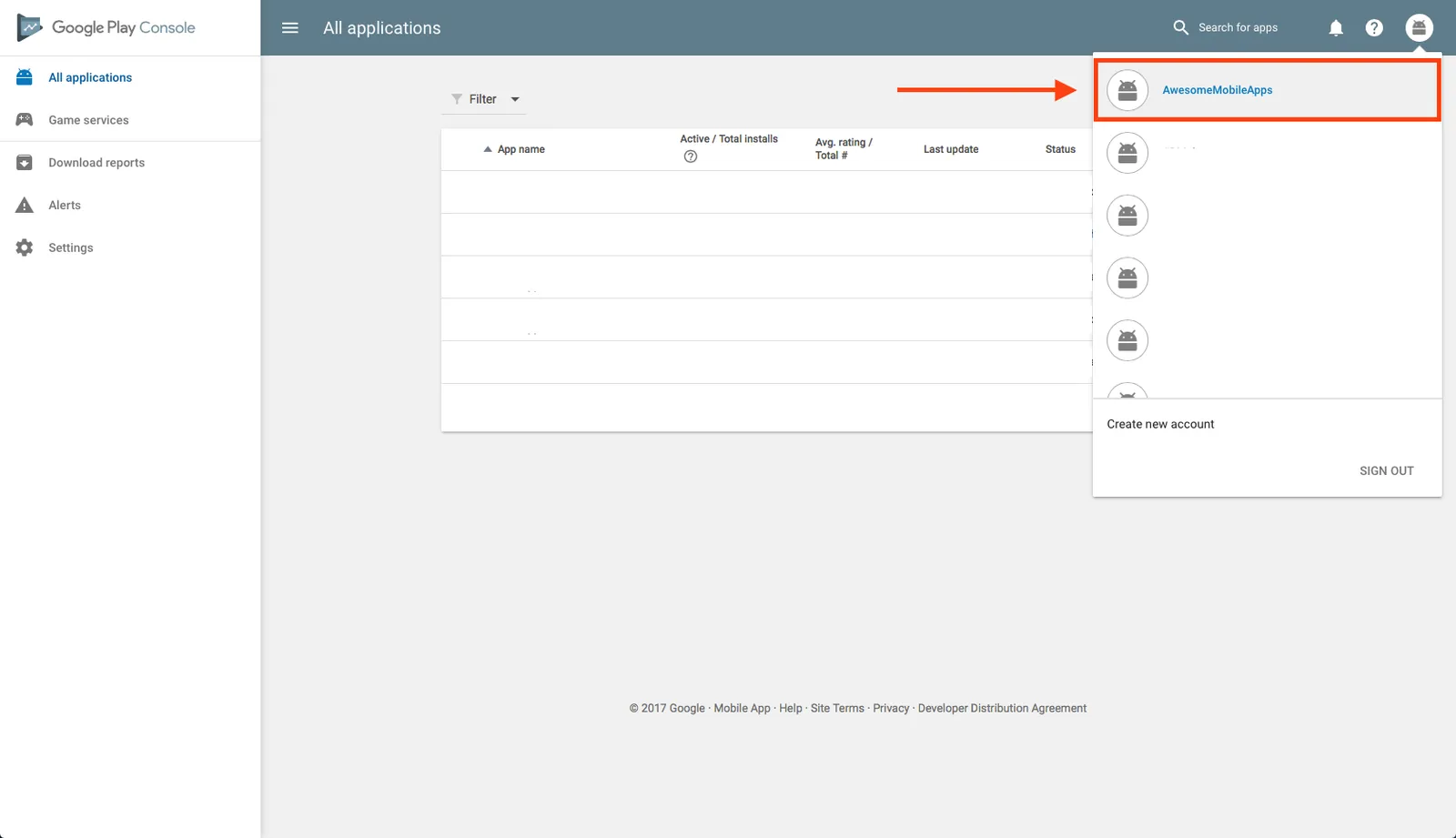
- 3
Copy your developer URL
On the All apps page, copy the address from your browser’s address bar.
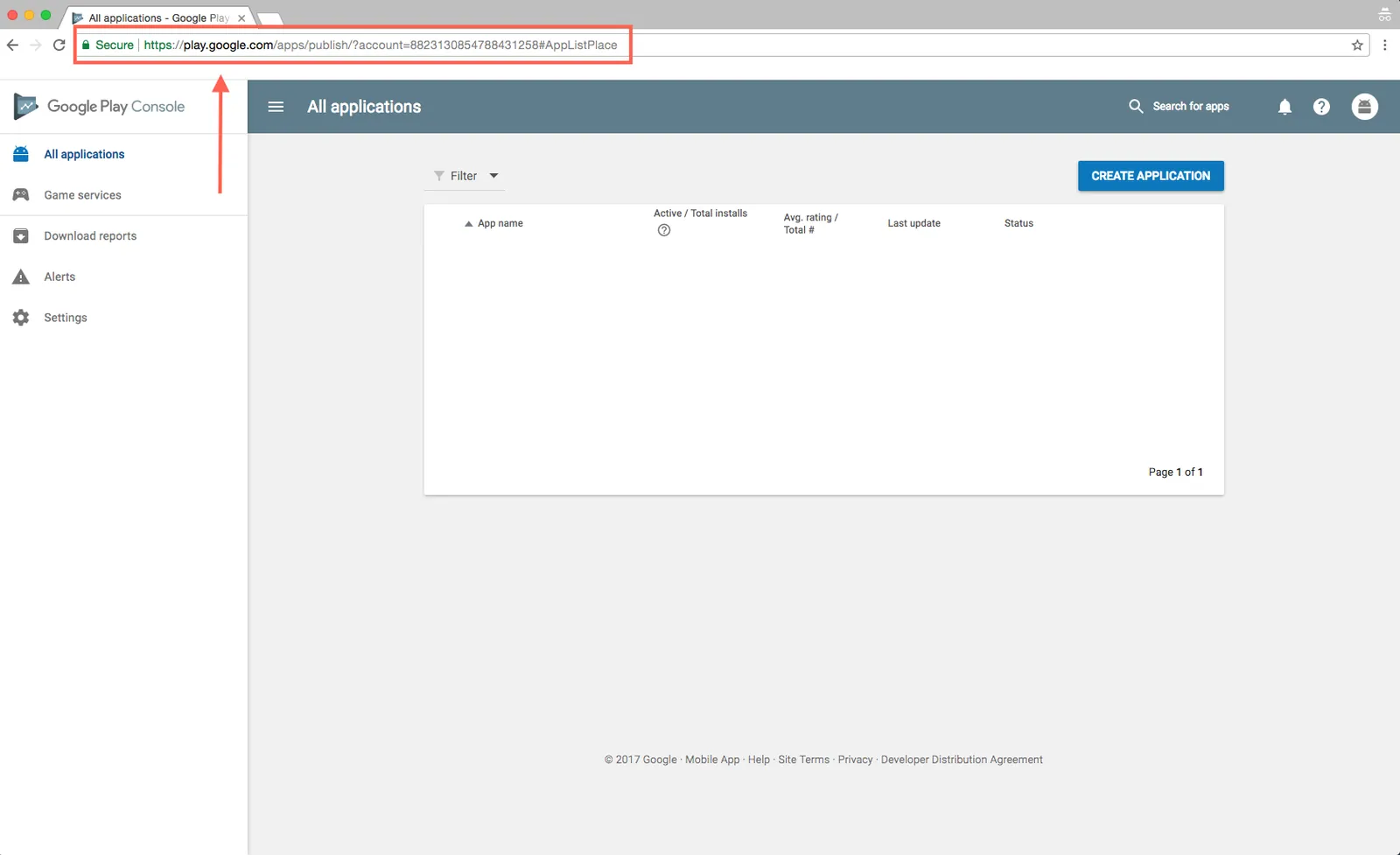
- 4
Add it to the App Dashboard
Paste the URL into the Publishing Information page in your MobAppCreator dashboard.
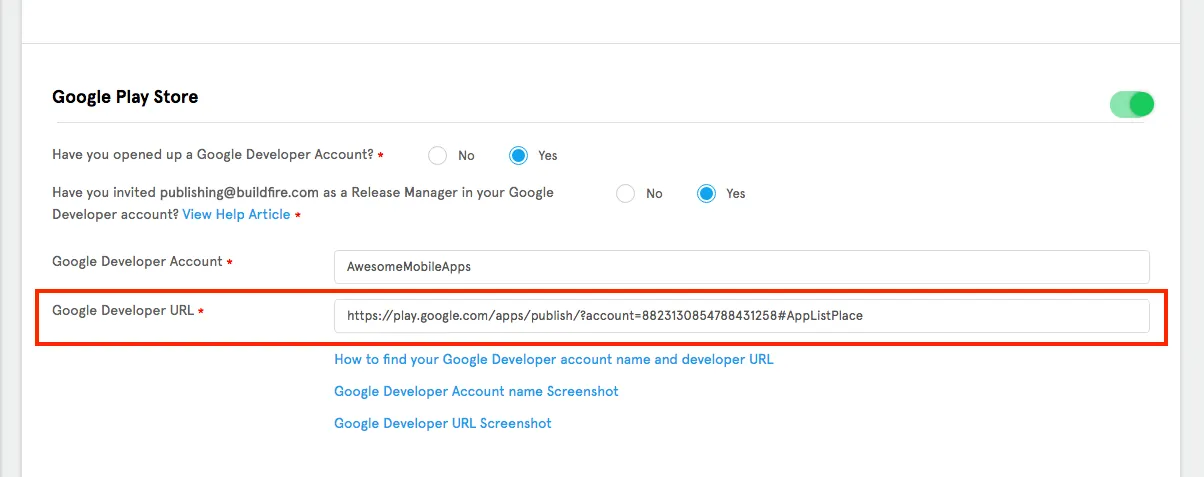
Tips
Changing your developer name. You can change it at any time in your Play Console settings. Your URL stays the same.
Charging for apps. To sell apps, set up a payments profile in your Play Console.
An app published for free can never become paid. You’d need to publish a new app with the price set before release.
Still need help?
Our team is happy to walk you through it.