Creating an Apple Enterprise developer account
What you need to distribute internal apps privately to your employees.
Updated April 6, 2022
Before you enroll in Apple’s Enterprise program, make sure you meet these requirements:
- The program is only for apps used by your own employees. These apps can never be distributed to the public or your customers.
- Your company must be a legal entity. Apple doesn’t accept DBAs, fictitious businesses, trade names or branches.
- Your company needs a D-U-N-S number so Apple can verify it. Check if you already have one.
- You must be the owner or founder, an executive, a senior project lead, or have legal authority granted by a senior employee.
- If you already use an Apple ID for the standard developer program, use a different Apple ID for Enterprise.
- After your account is activated, there is a 14-day waiting period before we can create the files we need in your account.
- 1
Open Apple’s enrollment page
- 2
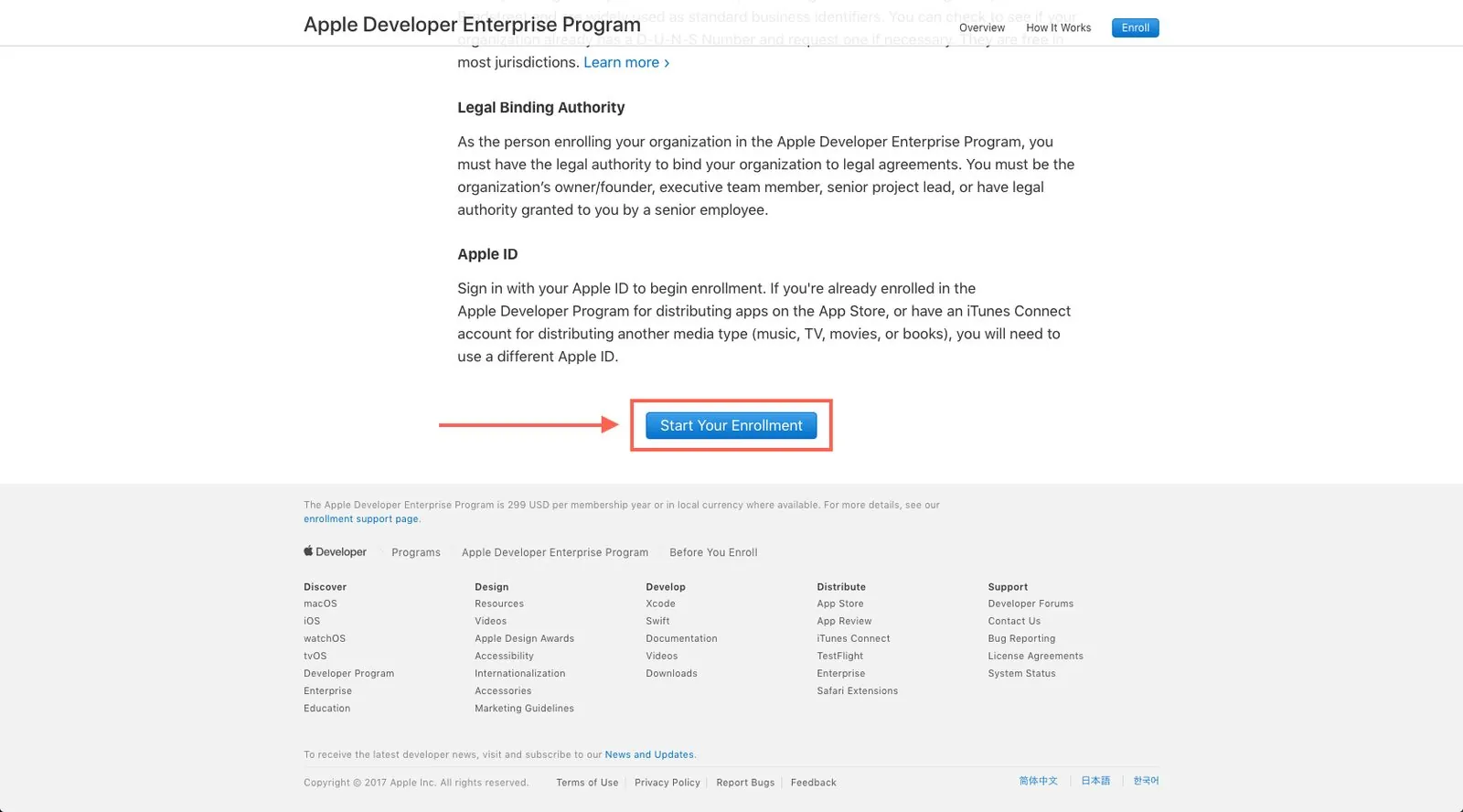
Start your enrollment
Read What You Need To Know and click Start Your Enrollment.
- 3
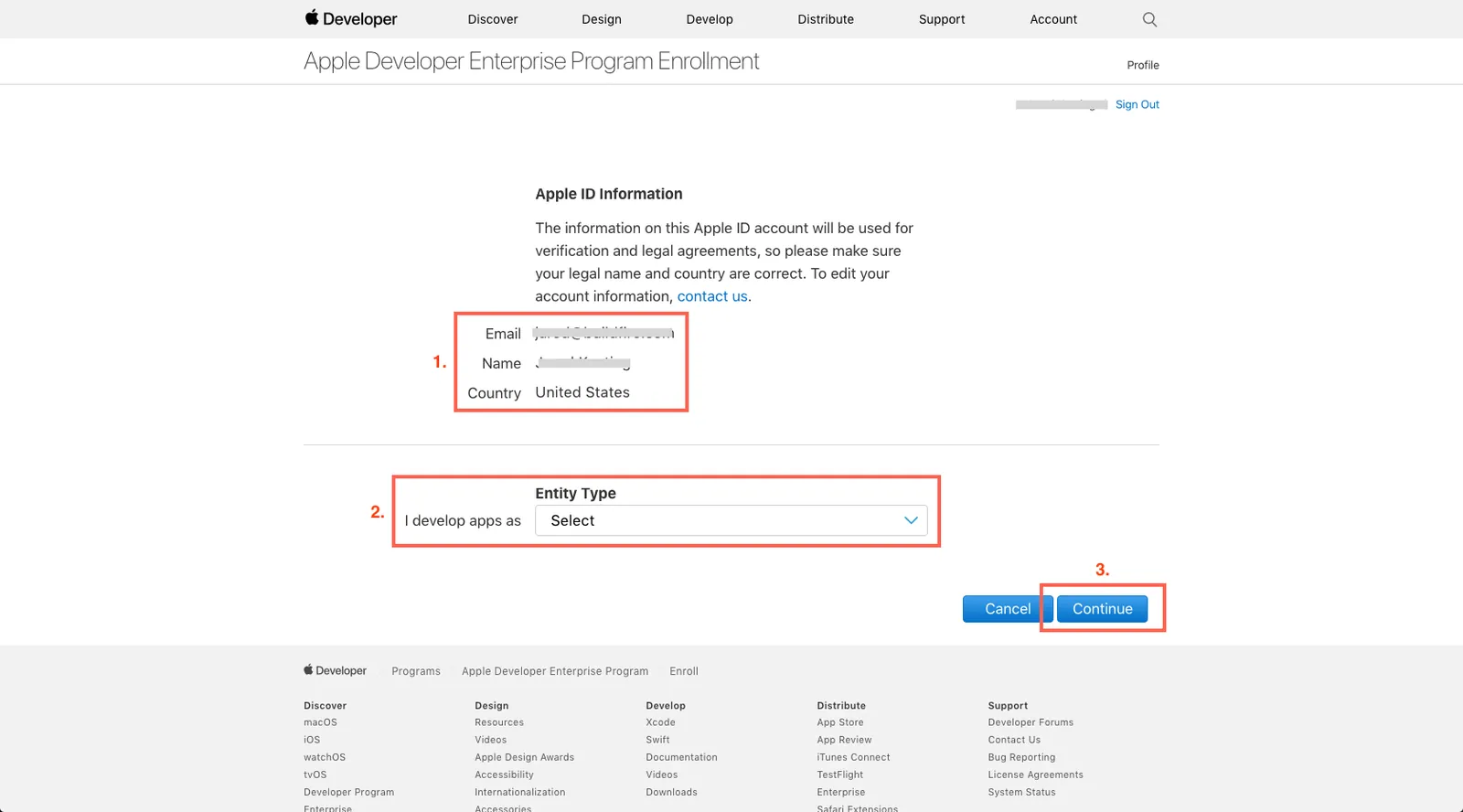
Confirm your Apple ID
Check your details, select your entity type and click Continue.
- 4
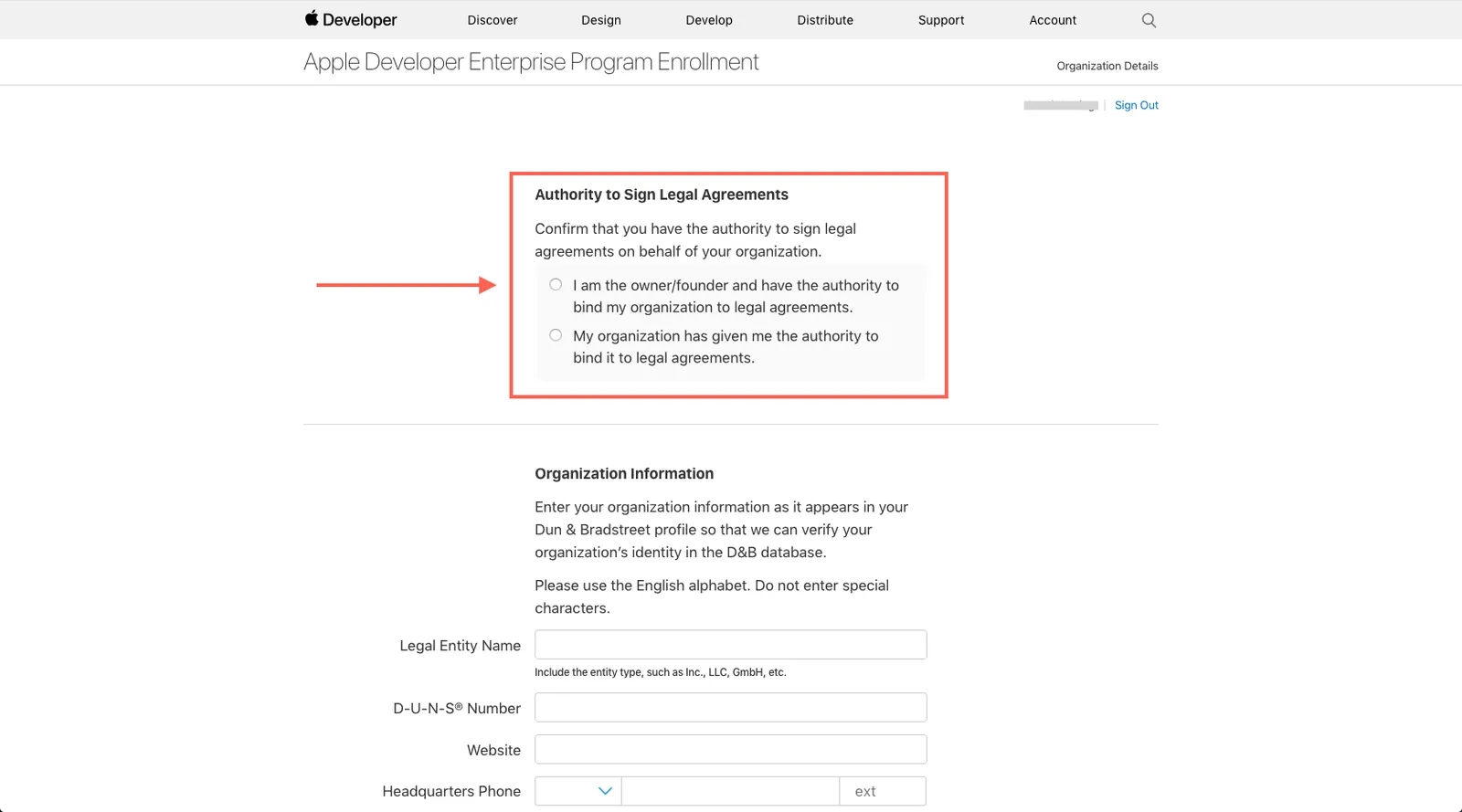
Confirm your authority
Select the type of authority you have to enroll your organization.
- 5
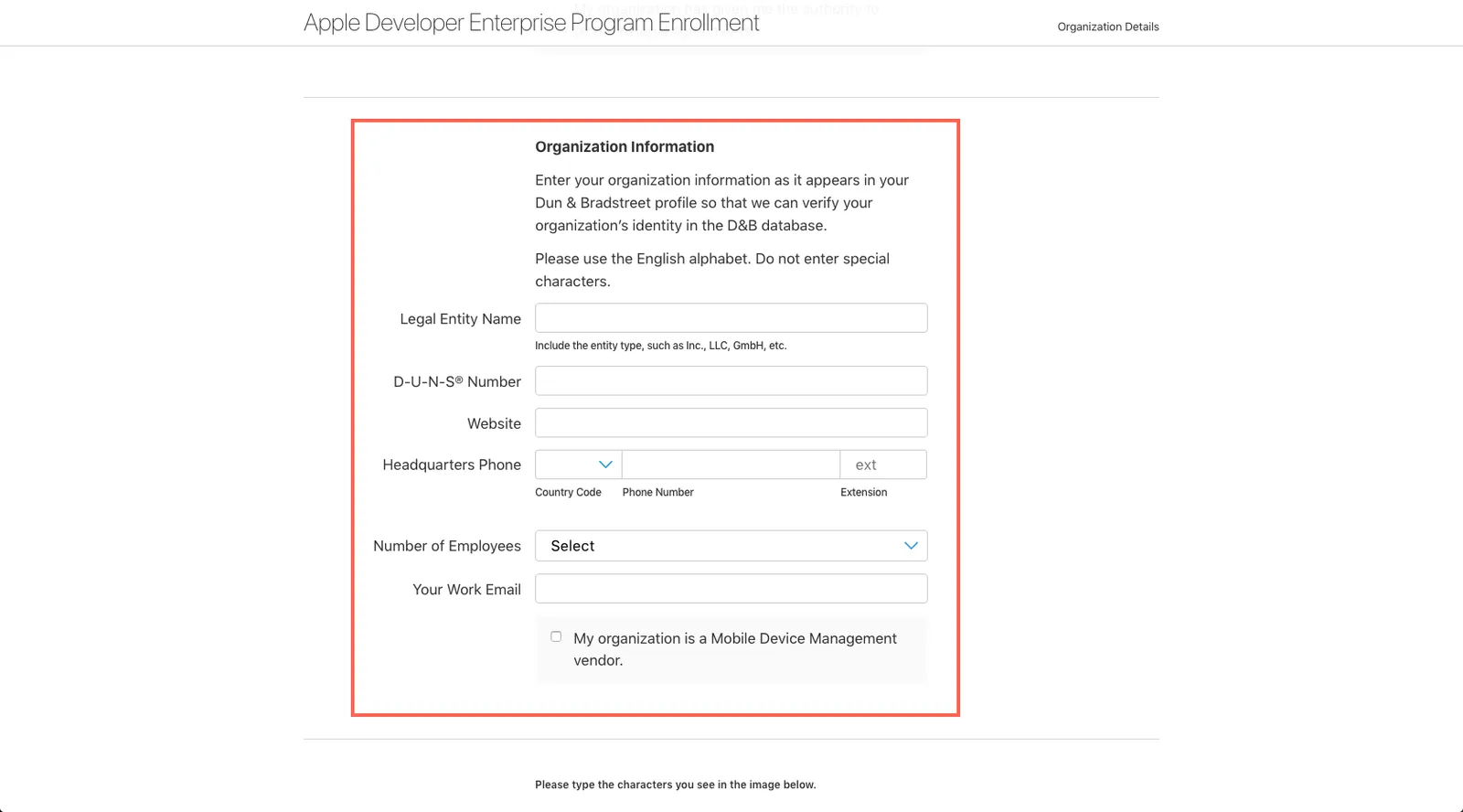
Enter your organization’s details
Fill in your organization’s information.
- 6
Submit
Complete the verification and click Continue.
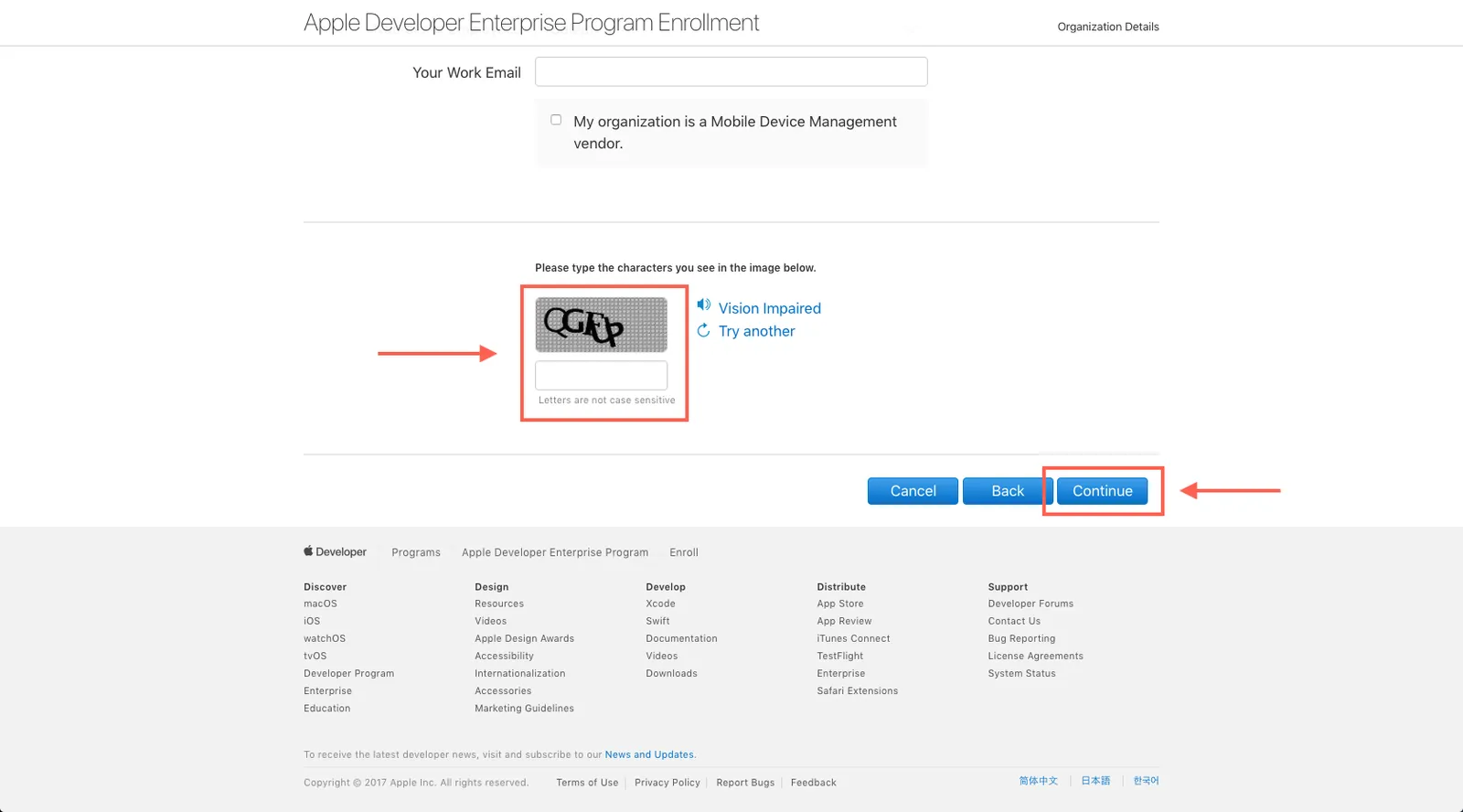
Apple will contact you to verify your information and send a link to pay and finish enrolling. The Enterprise program costs USD 299 per year.
Still need help?
Our team is happy to walk you through it.