How to give MobAppCreator access to your Apple Developer account
Add our publishing team so we can submit your app.
Updated April 6, 2022
Every Apple developer account requires two-factor authentication, which can slow down submissions. Giving our publishing team access avoids delays. If you don’t have a developer account yet, first create one.
How you give us access depends on your account type.
Individual account
Individual accounts can’t add other users, so we need to sign in with your account. Contact our support team to schedule a time: we’ll need your sign-in details and the verification code that arrives on your phone at that moment.
Company / Organization account
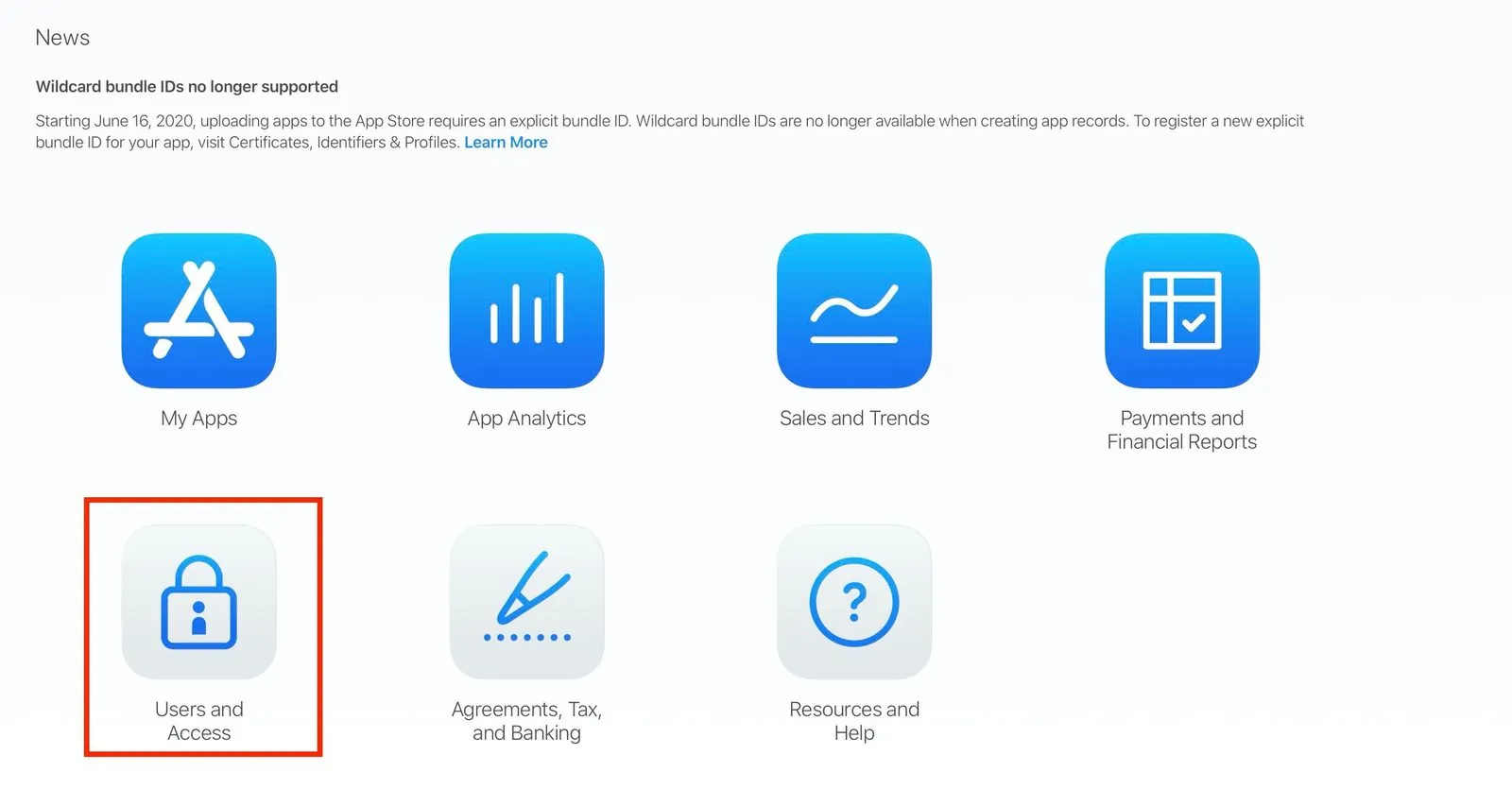
- 1
- 2
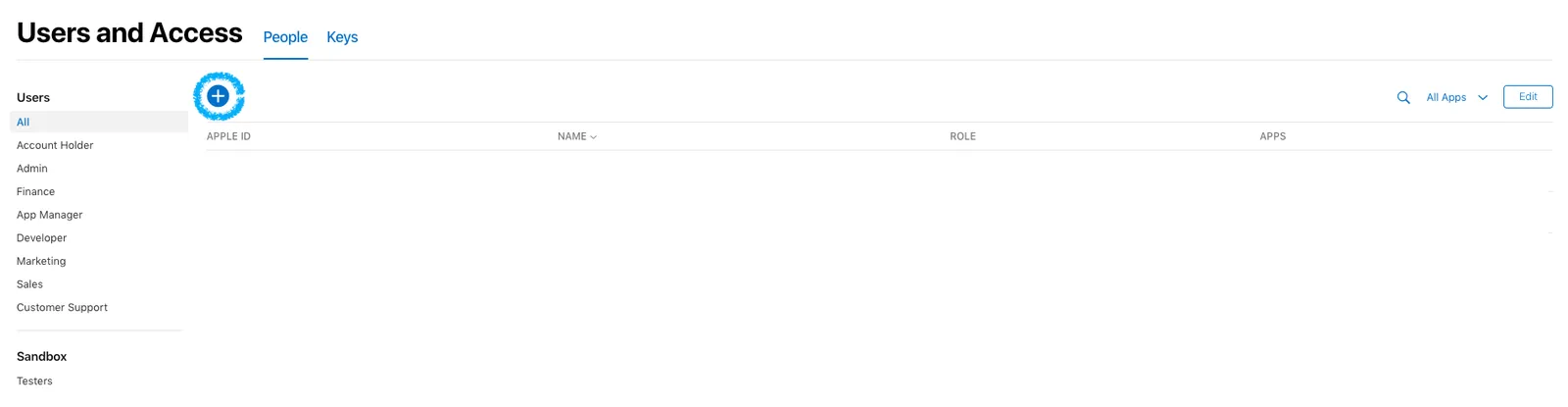
Add a user
Click the blue + button.
- 3
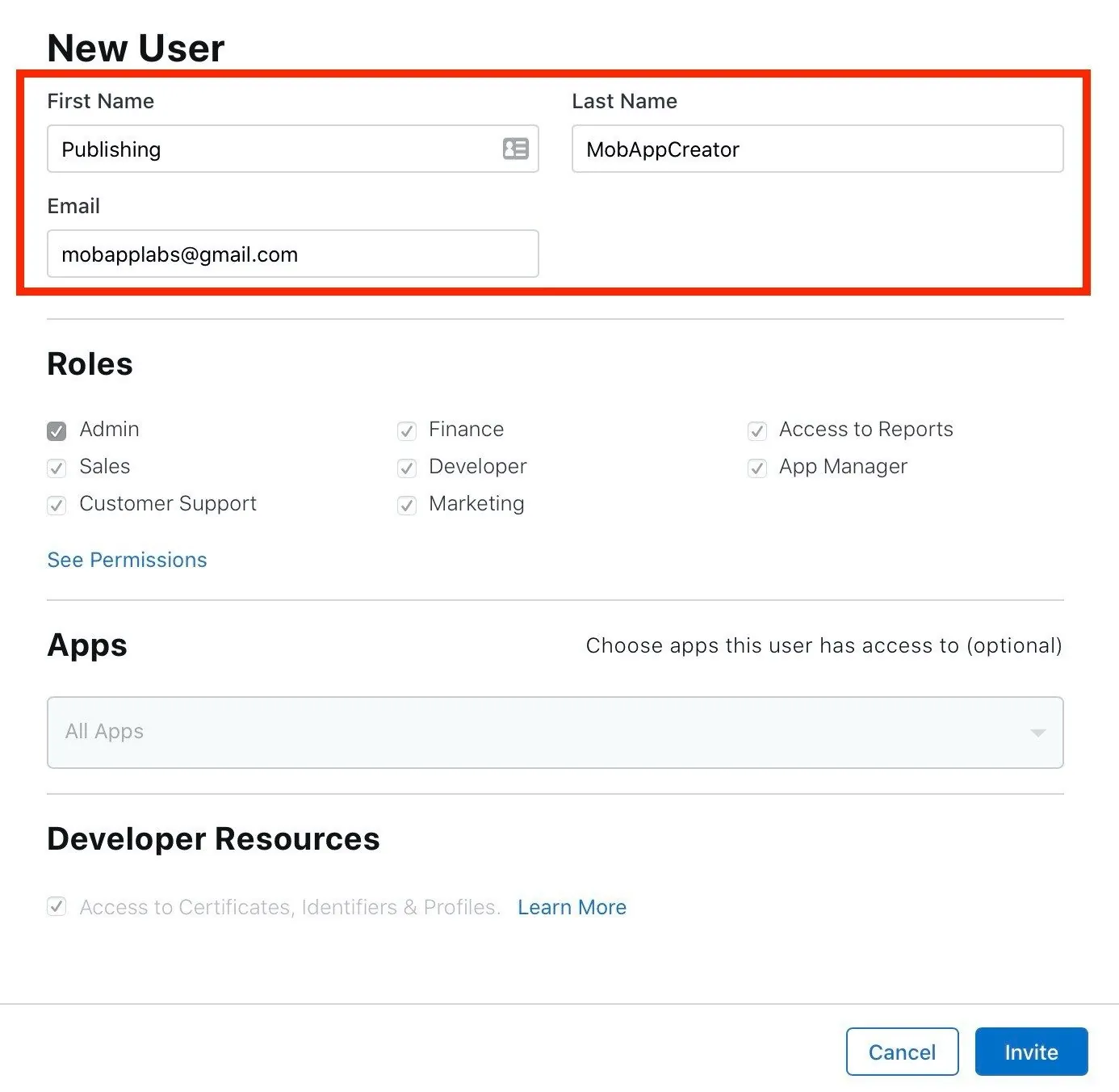
Enter our details
First name: Publishing. Last name: MobAppCreator. Email: mobapplabsllc@gmail.com.
- 4
Choose the Admin role
Under Roles, select Admin.
- 5
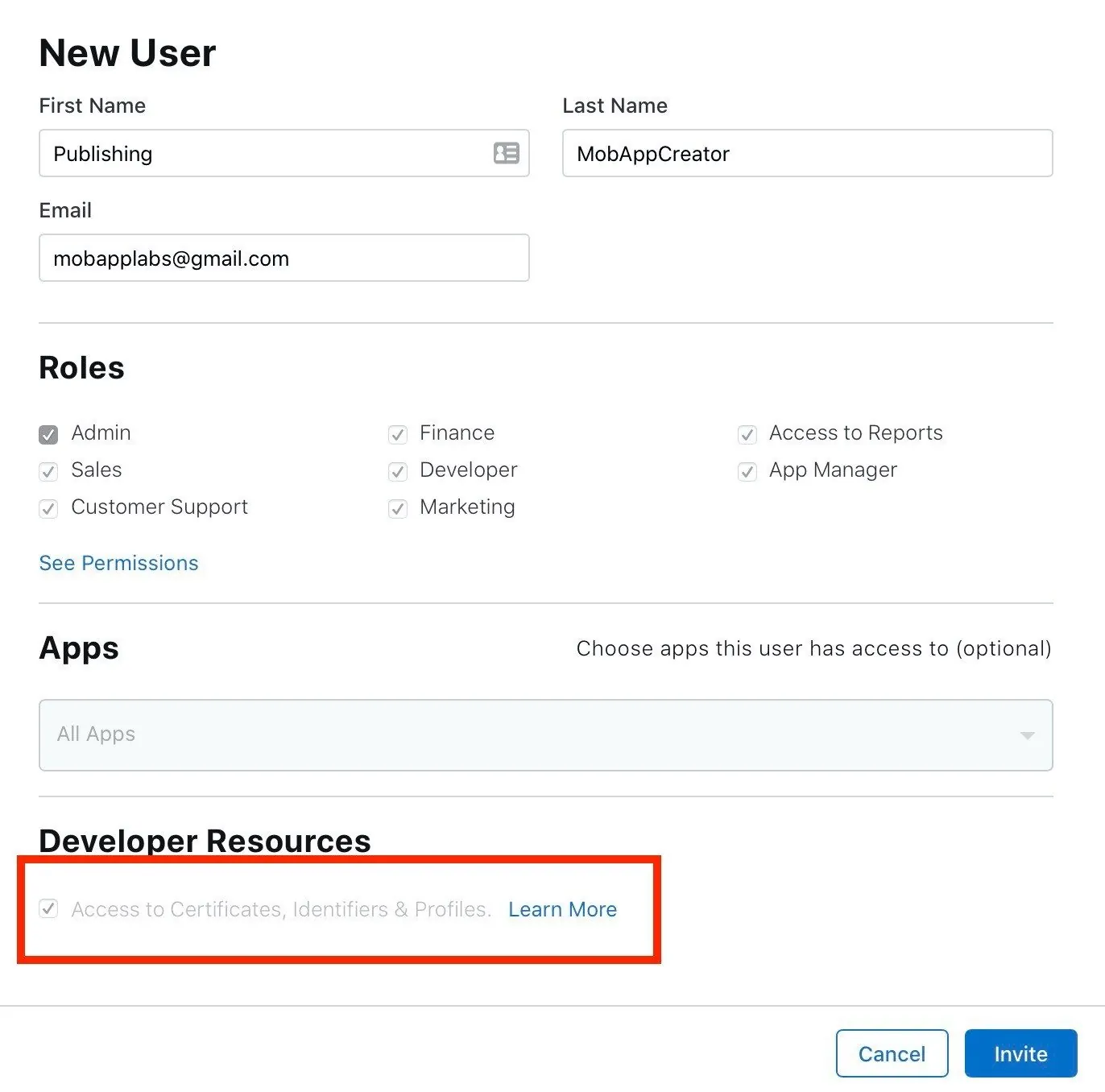
Allow access to certificates
If shown, tick Access to Certificates, Identifiers & Profiles under Developer Resources.
- 6
Send the invitation
Click Invite. Once we accept, we can submit your app without needing a verification code from you.
Still need help?
Our team is happy to walk you through it.