Adding your app launch icon
Icon requirements for each store and how to upload yours.
Updated April 6, 2022
Your app icon sits next to every other app on your customers’ phones, so it matters. Each platform has slightly different requirements.
Google Play
- Size: 512 × 512 pixels
- Square canvas with no transparency
- Don’t round the corners yourself. The device does it automatically, so leave enough space around your image so it isn’t cut off.
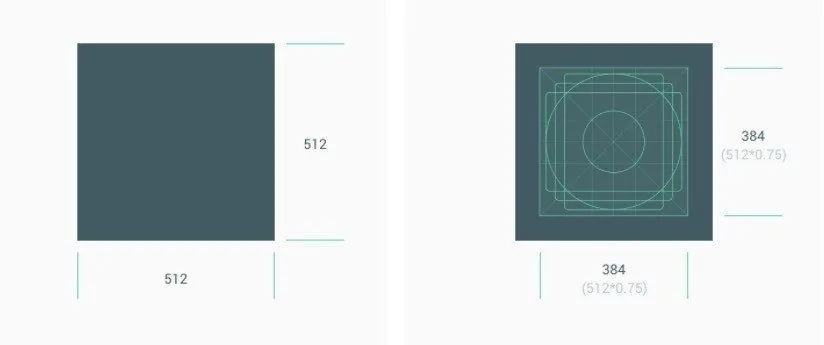
See Google’s icon design specifications for more detail.
Apple App Store
- Size: 1024 × 1024 pixels
- Square canvas with no transparency
- Don’t round the corners yourself, and leave enough space around your image.
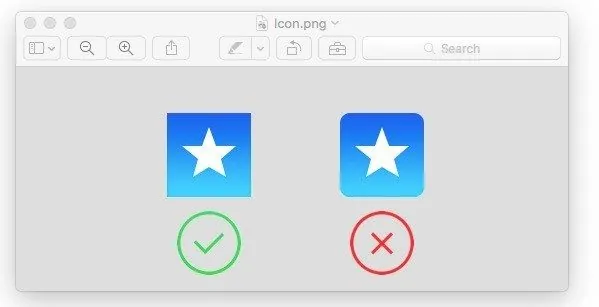
Upload your icon
When your icon is ready, go to Settings → Basic Data → Launch Icons in the App Dashboard.
Changing your launch icon after your app is live requires a new version to be submitted to the stores.
Still need help?
Our team is happy to walk you through it.